DeepFlow: Physics-Informed Neural Networks for Fluid Dynamics




DeepFlow is a user-friendly framework for solving PDEs, with a focus on fluid dynamics including the Navier–Stokes equations, using Physics-Informed Neural Networks (PINNs). It provides a CFD-solver-style workflow that makes PINN-based simulations accessible and straightforward.
Table of Contents
- Key Features
- Current Implementations
- Installation
- Requirements
- Quick Start
- Examples
- Contributing
- License
- DeepFlow Milestones
Key Features

- ⟁ Physics-Attached Geometry: AUTO GENERATE TRAINING DATA by explicitly attach physics and neural network to geometries.
- 🔧 CFD-Solver Style: Straightforward workflow similar to CFD software.
- 📊 Built-in Visualization: Tools to evaluate and plot results.
- 🚀 GPU Acceleration: Enable GPU for faster training.
- Flexible Domain Definition: Easily define complex 2D geometries.
Current Implementations
- Supported problems: solving forward partial differential equations (PDEs)
- transient & steady 2D imcompressible Navier-Stokes equations, 2D Fourier Heat equation, Burgers' equation
- Sampling methods: Uniform, Random, Latin Hypercube Sampling, RAR-G [0], R3 [1]
- 2D Geometries: Custom functions, Rectangle, Circle, Polygon, and combinations & subtractions.
- Hard Boundary Conditions: Automatic Hard BC w.r.t. to geometry.
- Neural Network Architectures: Fully connected feedforward networks (FNN).
- Optimizers: Adam, L-BFGS
- Backend: PyTorch
Installation
You can install DeepFlow via pip:
For development or to build from source:
Requirements
- Python >= 3.8
- PyTorch >= 1.7.0
- NumPy >= 1.19.0
- Matplotlib >= 3.3.0
- SymPy >= 1.5.0
- SciPy >= 1.5.0
- Ultrplot >= 1.0.0
Quick Start
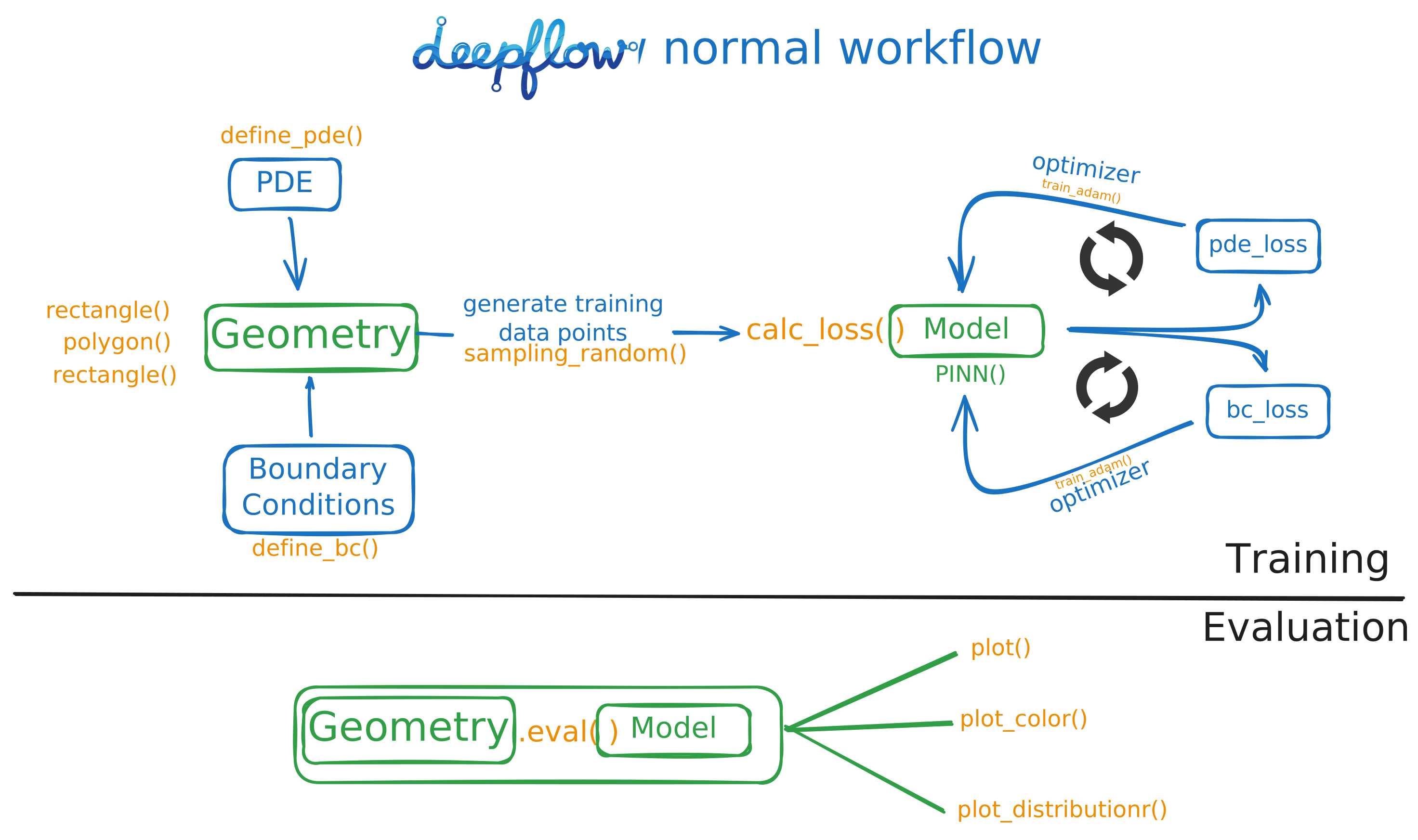 This example demonstrates how to simulate Steady channel flow under 20 lines of code! We recommend using a Python notebook (
.ipynb) for interactive experience.
1. Define the Geometry and Physics
import deepflow as df

# Define the area and bounds
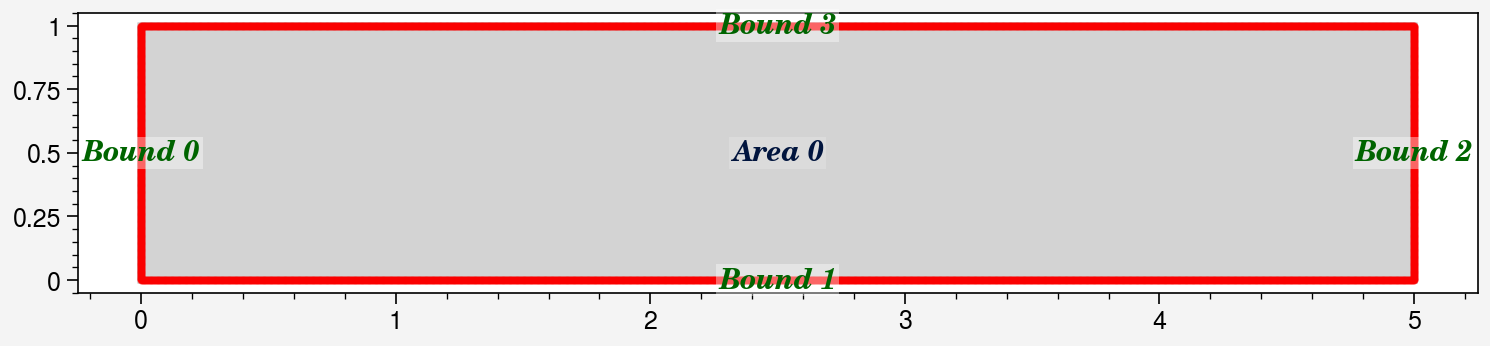
rectangle = df.geometry.rectangle([0, 5], [0, 1])
domain = df.domain(rectangle)

domain.show_setup() # Display the domain setup
# Define Boundary Conditions
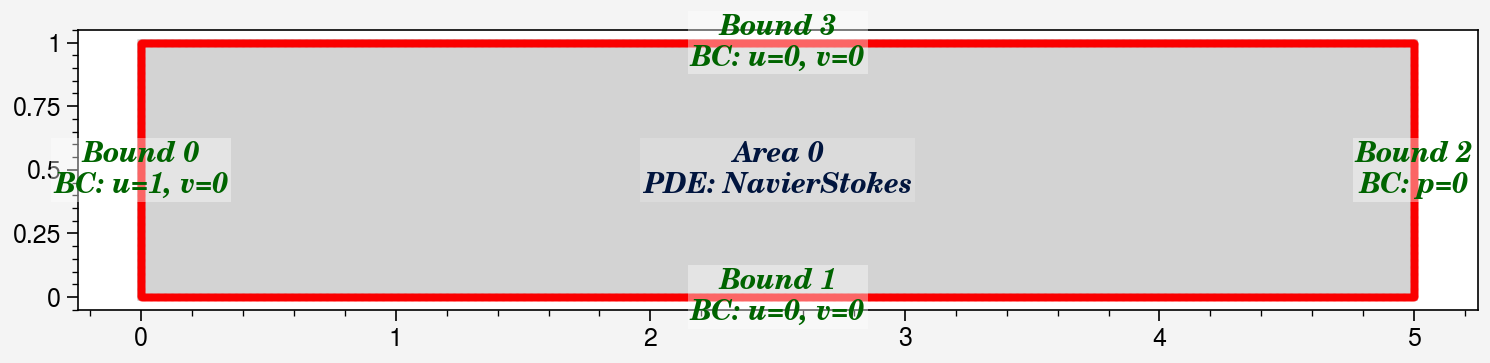
domain.bound_list[0].define_bc({'u': 1, 'v': 0})  # Inflow: u=1
domain.bound_list[1].define_bc({'u': 0, 'v': 0})  # Wall: No slip
domain.bound_list[2].define_bc({'p': 0})          # Outflow: p=0
domain.bound_list[3].define_bc({'u': 0, 'v': 0})  # Wall: No slip

# Define PDE (Navier-Stokes)
domain.area_list[0].define_pde(df.pde.NavierStokes(U=0.0001, L=1, mu=0.001, rho=1000))

domain.show_setup() # Display the domain setup
# Sample points: [Left, Bottom, Right, Top], [Interior]
domain.sampling_random([200, 400, 200, 400], [5000])
domain.show_coordinates(display_physics=True)
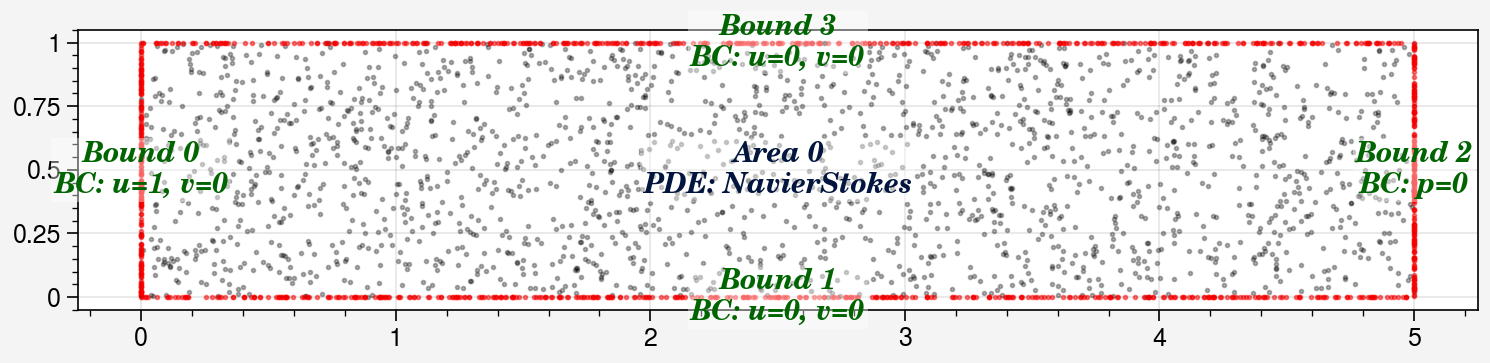
2. Create and Train the model
# Train the model using Adam Optimizer
model1 = model0.train_adam(
    calc_loss=df.calc_loss_simple(domain),
    learning_rate=0.001,
    epochs=2000,)
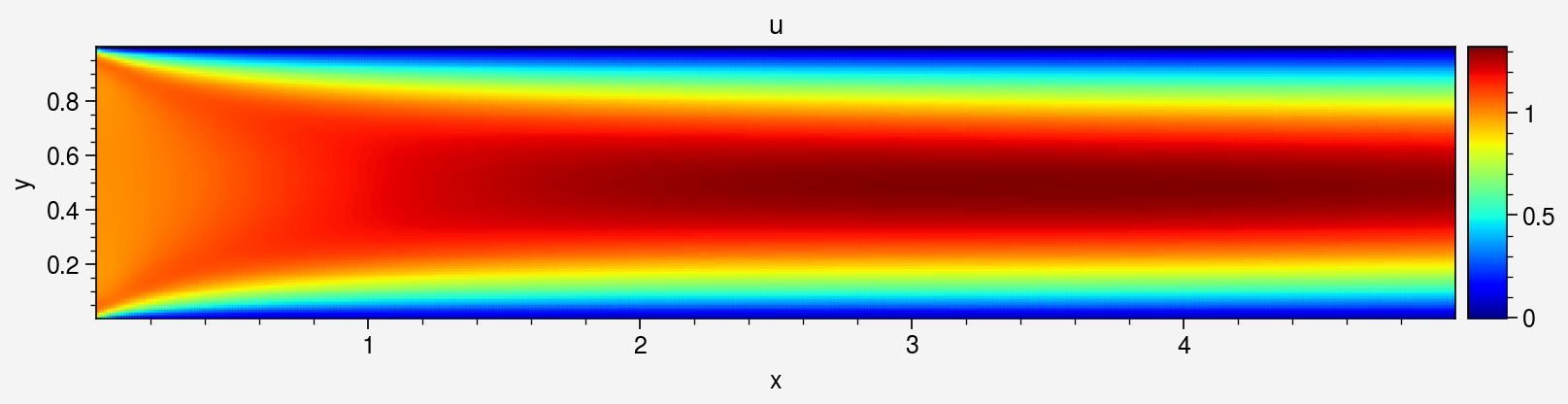
3. Visualize Results
# Evaluate the best model
prediction = domain.area_list[0].evaluate(model1_best)
prediction.sampling_area([500, 100])

# Plot Velocity Field
_ = prediction.plot_color('u', cmap='jet')

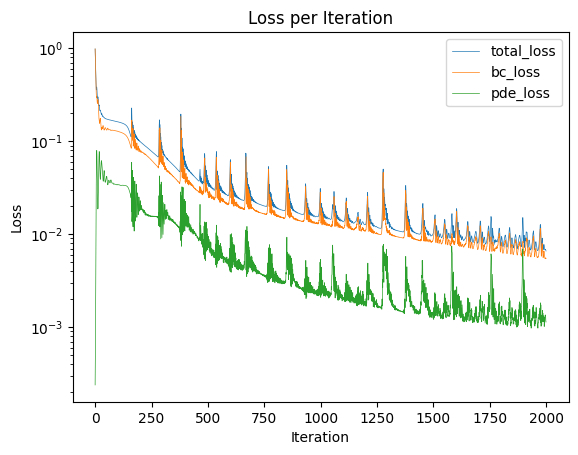
# Plot Training Loss
_ =prediction.plot_loss_curve()
Examples
Explore the examples directory for real use cases, including
Steady-state: - Steady flow around a cylinder - Lid-driven cavity flow - Backward-facing step flow - Burgers' Equation
Time-dependent: - Transient channel flow - Fourier Heat Equation
Contributing
Feel free to submit a Pull Request. For major changes, open an issue first to discuss the proposed changes.
DeepFlow Milestones
- Define custom PDE
- Inverse problems PDE
- 3D Geometries
- More sampling methods
- More neural network architectures (e.g., CNN, RNN)
License
This project is licensed under the MIT License - see the LICENSE file for details.